
Automated Attendance System using Face Recognition – Python Flask OpenCV Project with Source Code
Python, Flask, OpenCV, LBPH Face Recognizer, Haar Cascade, SQLite, HTML5, CSS3, JavaScript, Chart.js, WebRTC Webcam API, OpenPyXL
67 visitors0 file downloads8 screenshots
SEE IT IN ACTION
Click an image to see it full sizeProject screenshots
THE IDEA
About this project
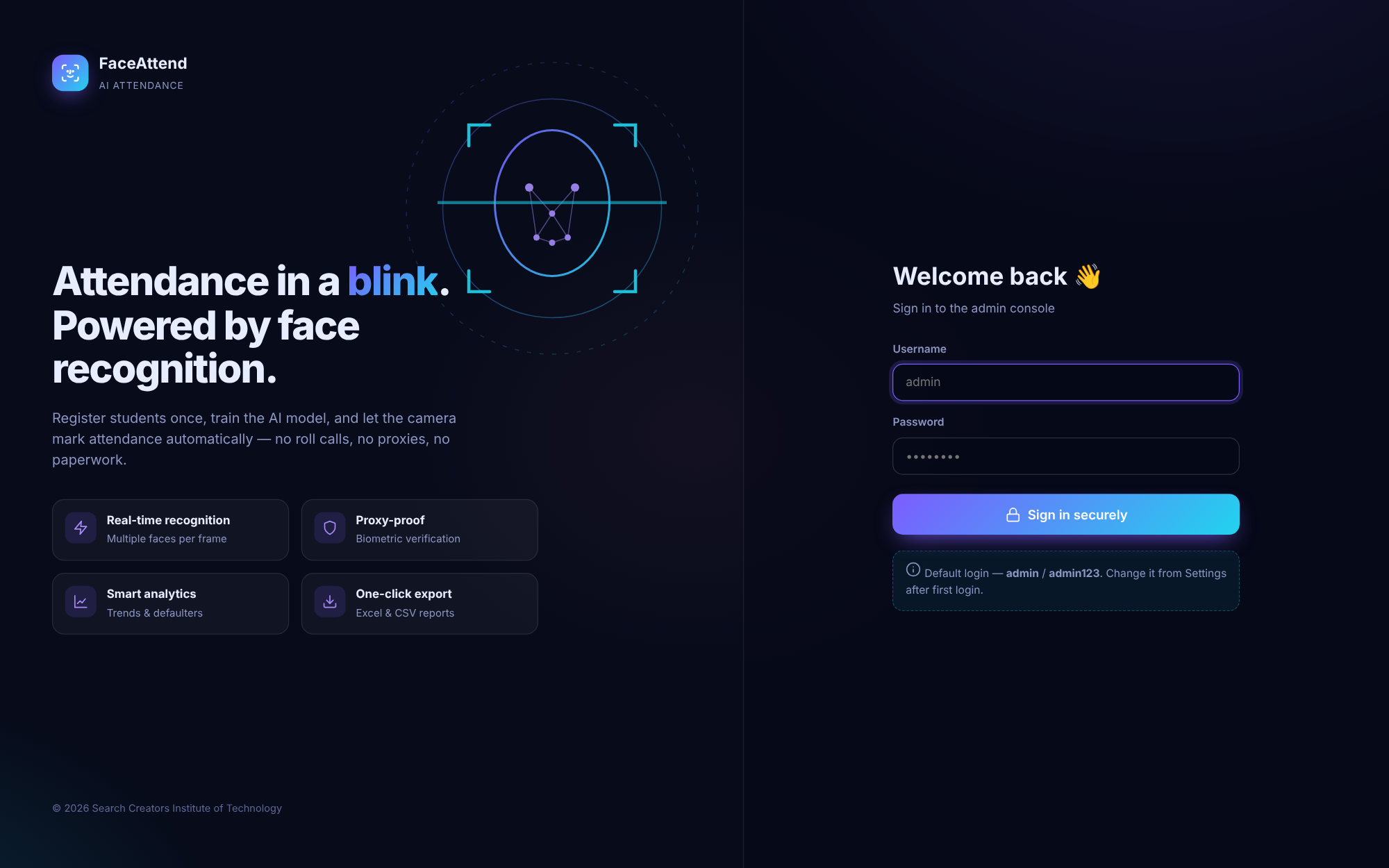
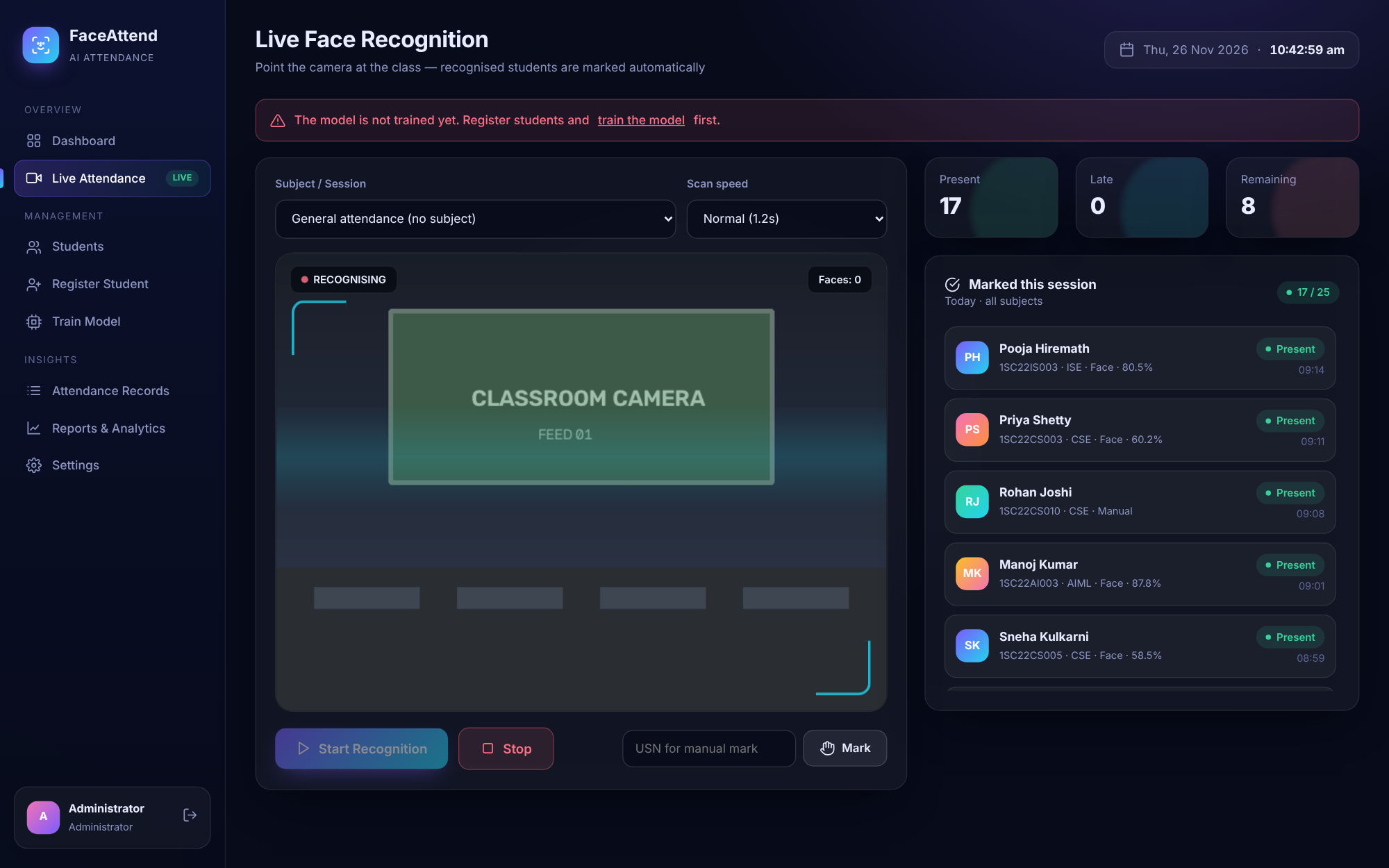
Automated Attendance System using Face Recognition is a complete VTU final year project that replaces manual roll calls with AI-based face recognition. The system detects student faces live from a webcam using the Haar Cascade algorithm and recognises them with the LBPH (Local Binary Patterns Histograms) face recognizer from OpenCV. Attendance is marked automatically as Present or Late and saved in a SQLite database.
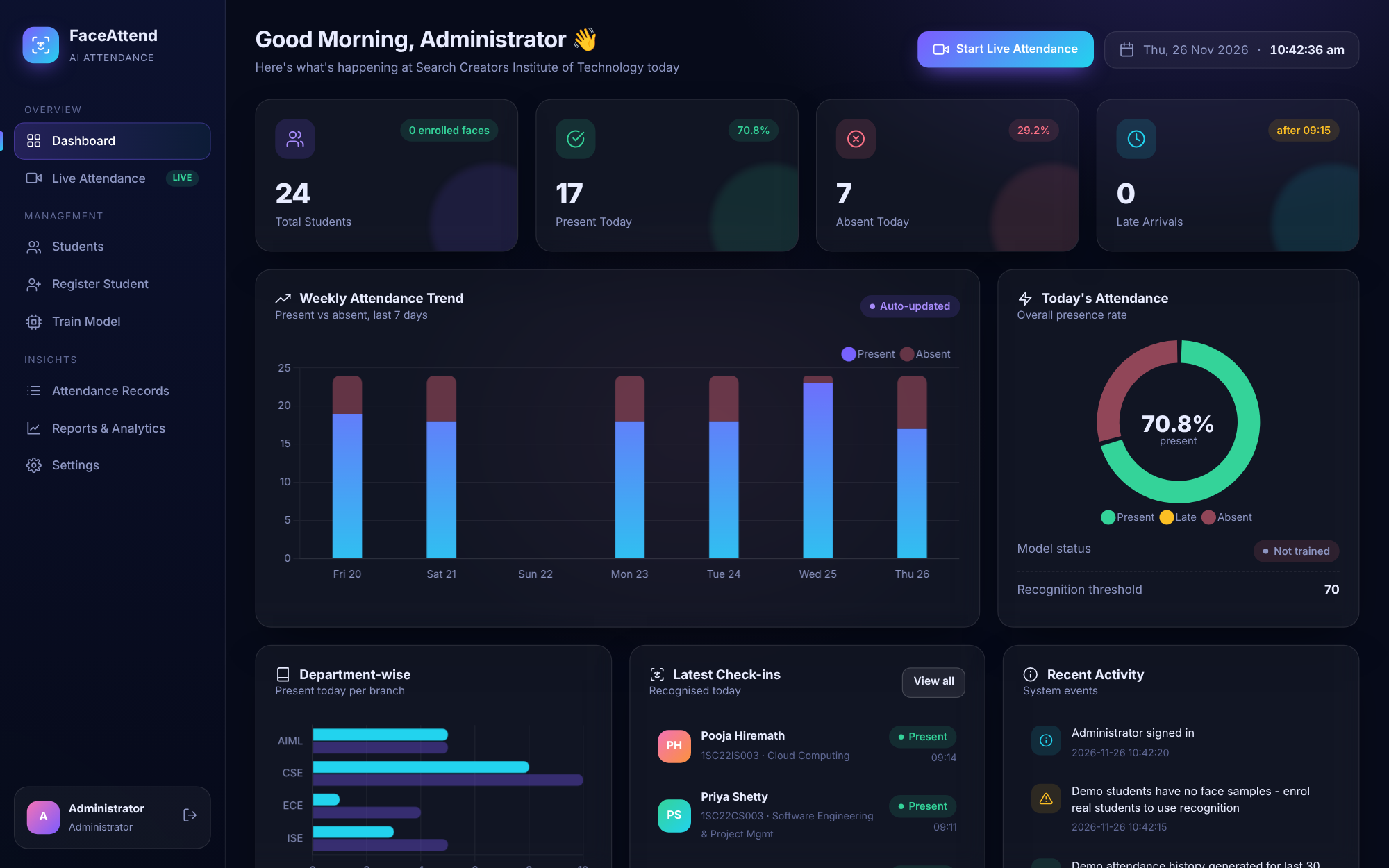
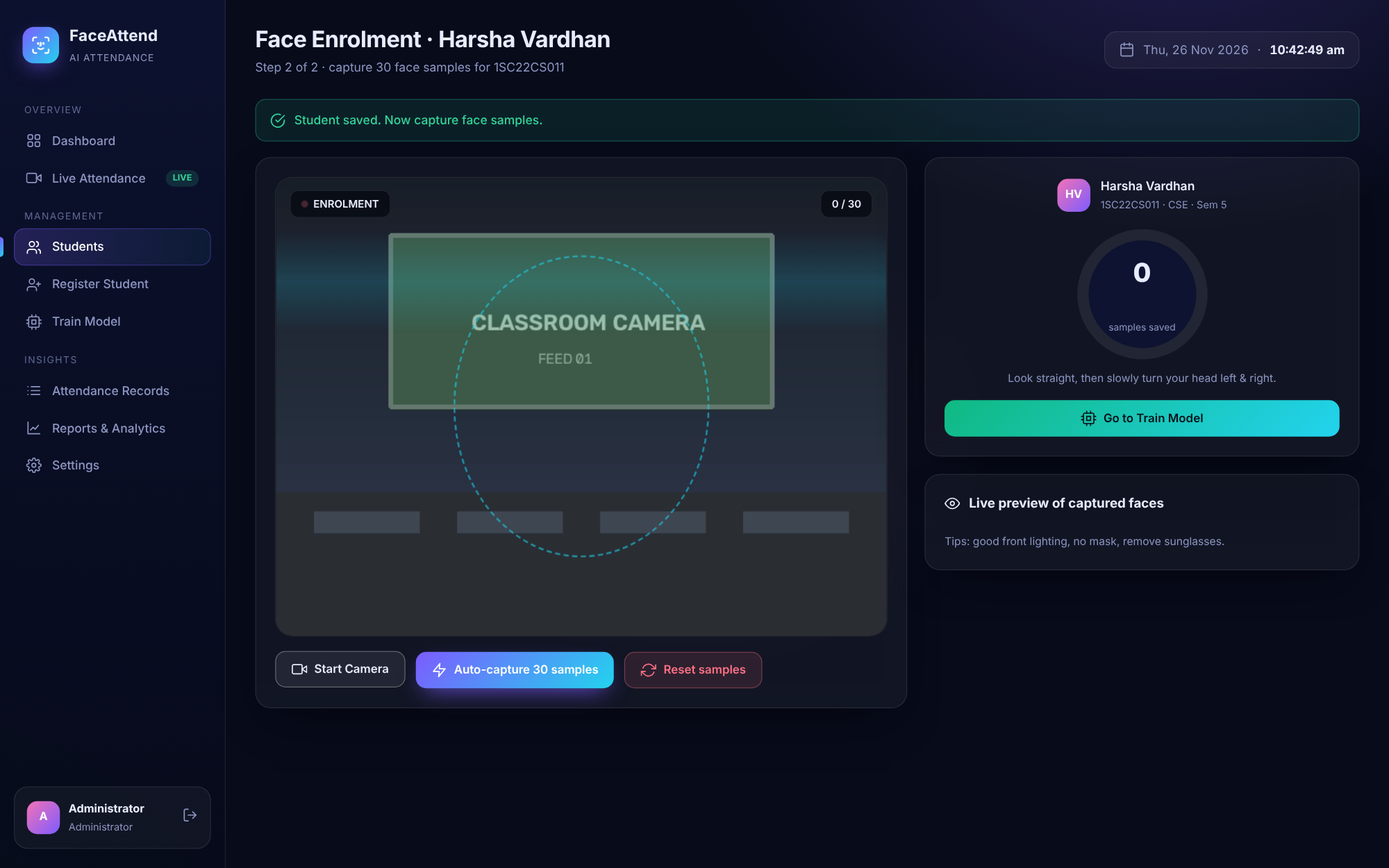
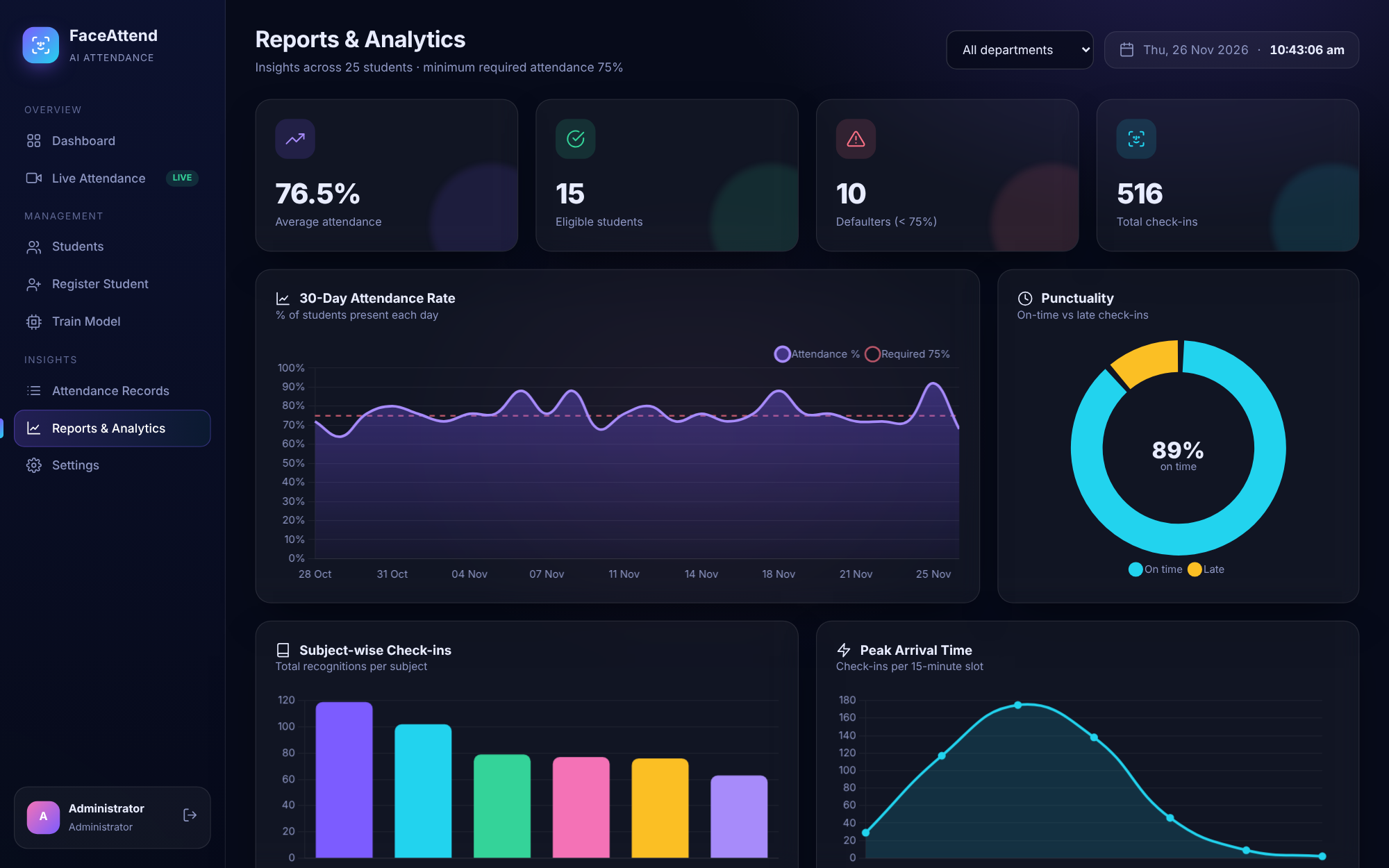
The project comes with a modern, responsive admin dashboard built in Python Flask. It shows real-time statistics, weekly attendance trends, department-wise charts and a defaulter list for students below 75% attendance. Admins can register students, capture 30 face samples straight from the browser, train the model in one click, run subject-wise live attendance sessions and export reports to Excel or CSV.
The download includes full source code, the database schema, a setup guide and screenshots. It suits CSE, ISE, AIML and Data Science students looking for a face recognition attendance system project in Python with source code, and you can also order the project report and PPT.
What this project does
- Secure admin login with hashed passwords
- Real-time face detection with Haar Cascade
- Face recognition with the OpenCV LBPH algorithm
- Recognises multiple faces in one frame, with a bounding box, name and confidence %
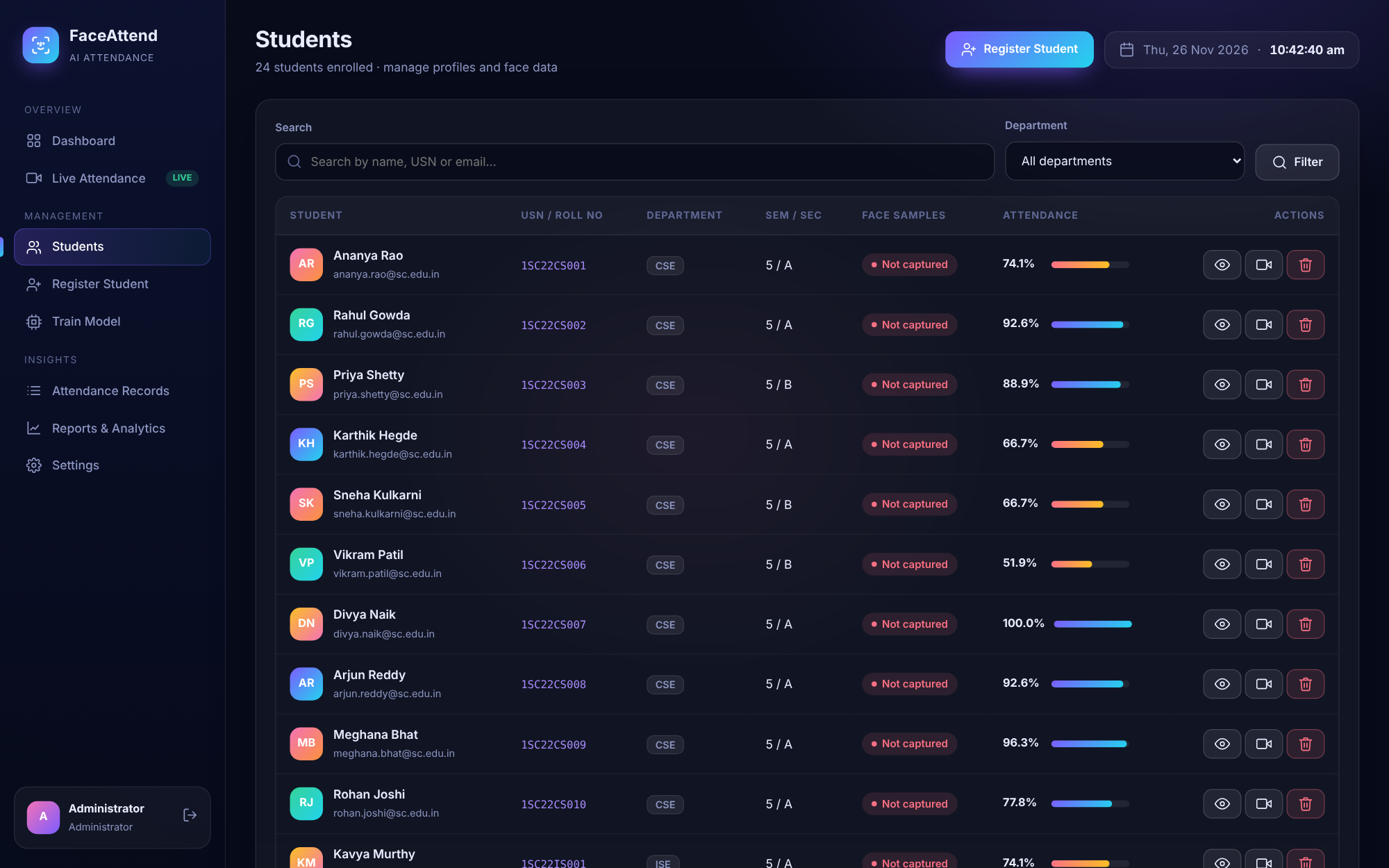
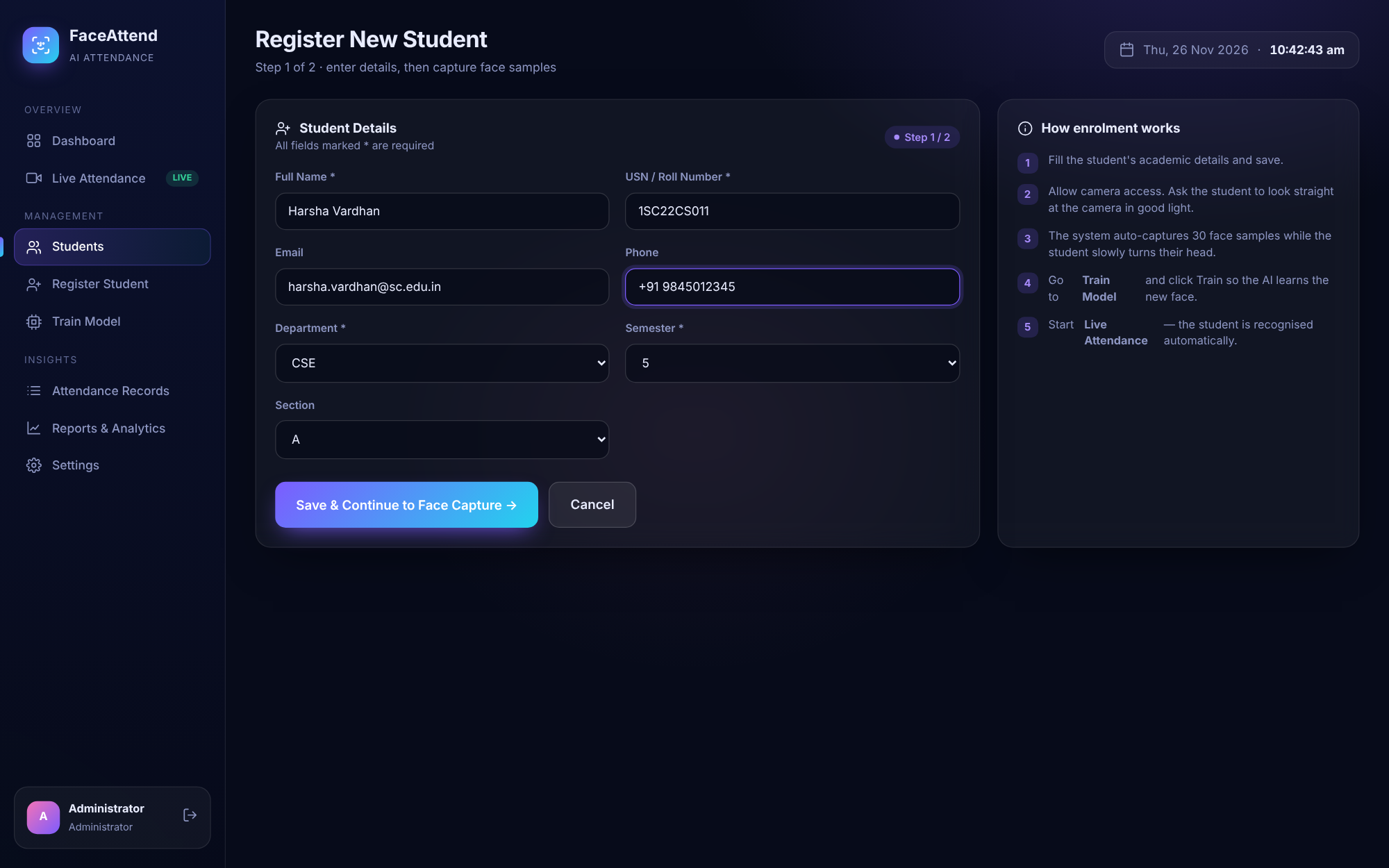
- Student registration with 30 face samples auto-captured from the webcam
- One-click model training with a dataset quality report
- Subject-wise attendance sessions
- Automatic Present / Late marking based on a set time
- Manual attendance marking by USN as a backup
- Interactive dashboard with live stats and Chart.js graphs
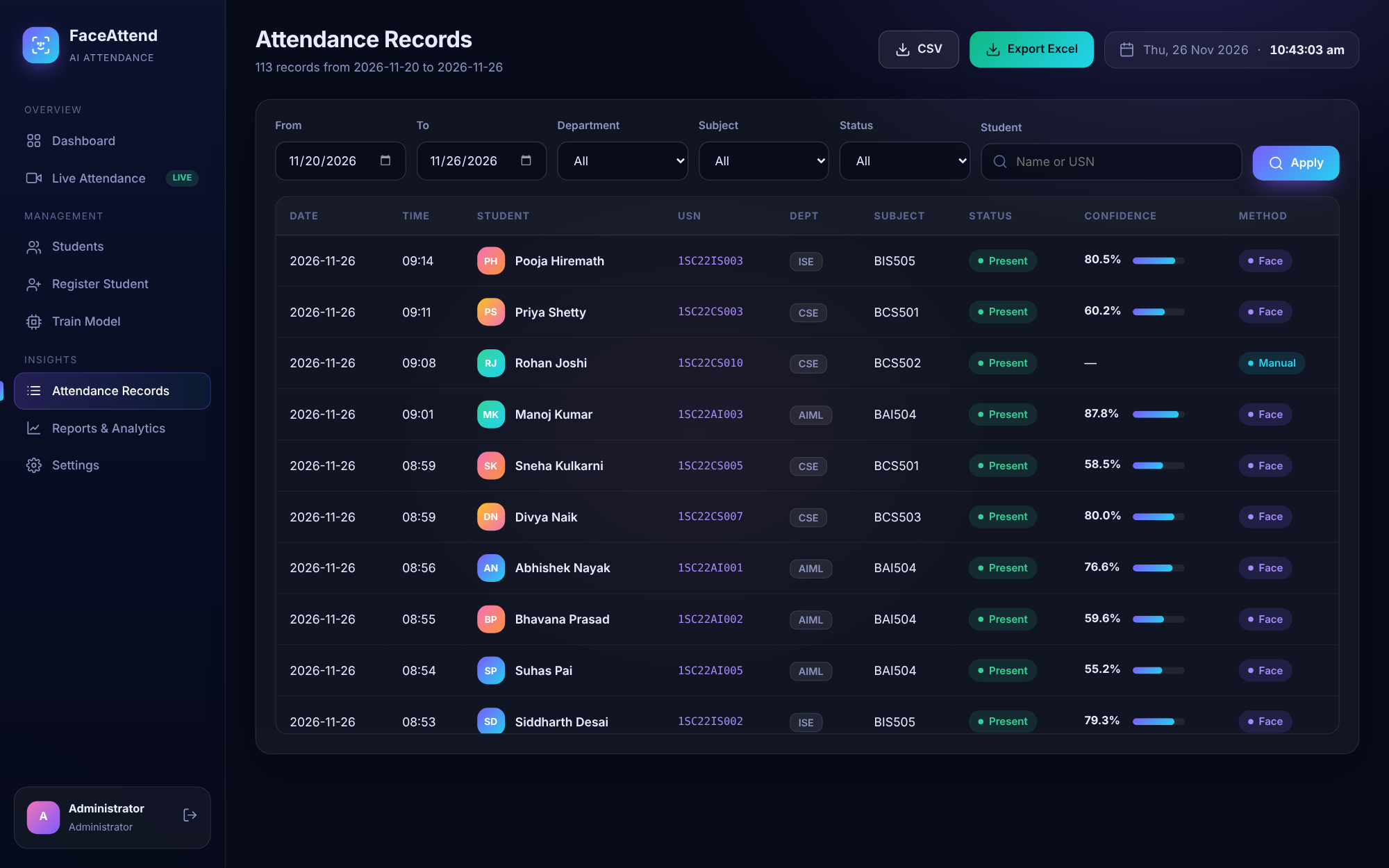
- Attendance records with date, department, subject and status filters
- Export attendance to Excel (.xlsx) and CSV
- Reports and analytics: 30-day trend, punctuality and peak arrival time
- Defaulter list for students below 75% attendance
- Student profile with attendance percentage, eligibility and a heatmap calendar
- Settings for recognition threshold, late time, minimum attendance and subjects
- Modern dark glassmorphism UI that works on any screen size
What you need
Software:
Python 3.9 – 3.13
Flask 3.x
opencv-contrib-python 4.8+
NumPy
OpenPyXL
Google Chrome / Microsoft Edge / Firefox
Windows 10/11, Linux or macOS
Hardware:
Laptop/PC with Intel i3 or above, 4 GB RAM (8 GB recommended)
Webcam (built-in laptop camera works)
How to run this project
Download and extract the project ZIP.
Open a terminal / command prompt inside the FaceAttend folder.
Install the required packages:
pip install -r requirements.txt
(If opencv-python is already installed, first run pip uninstall opencv-python. The LBPH recognizer needs opencv-contrib-python.)
Optional: load demo data to explore the dashboard:
python seed_demo.py
Start the application:
python app.py
Windows users can also just double-click run.bat.
Open http://127.0.0.1:5000 in your browser.
Log in with username admin and password admin123.
Go to Settings and add subjects.
Go to Register Student, fill in the details, click Start Camera, then Auto-capture 30 samples.
Go to Train Model and click Start Training.
Go to Live Attendance, select a subject and click Start Recognition.
View and export attendance from Records, and check defaulters in Reports.
To clear the demo data before real use, run python seed_demo.py --clear.
Learn, build and make it yours
Read the code, try the features and change the project to match your idea. Make sure you understand how it works before using it for your coursework.
Download project files
Choose the files you need. Each file shows its price, or is marked free.
Sign in to purchase
Paid downloads stay available in your account when you return to this page. Free resources are supported by ads.
ADVERTISE WITH SEARCH CREATORS
Your next customer could be here.
Promote your company, college, course or event on our website. Contact us to discuss education, entertainment and business ads.
- Companies & brands
- Colleges & courses
- Events & entertainment
Tell us what you want to promote. Ask us about ad spaces, prices and available dates.