
Fake News Detection Web Application using Machine Learning – Python Flask Project with Source Code
Python, Flask, Machine Learning, NLP, Scikit-learn, TF-IDF, Passive Aggressive Classifier, Logistic Regression, Linear SVM, Naive Bayes, Pandas, BeautifulSoup, SQLite, HTML5, CSS3, JavaScript, Chart.j
30 visitors0 file downloads8 screenshots
SEE IT IN ACTION
Click an image to see it full sizeProject screenshots
THE IDEA
About this project
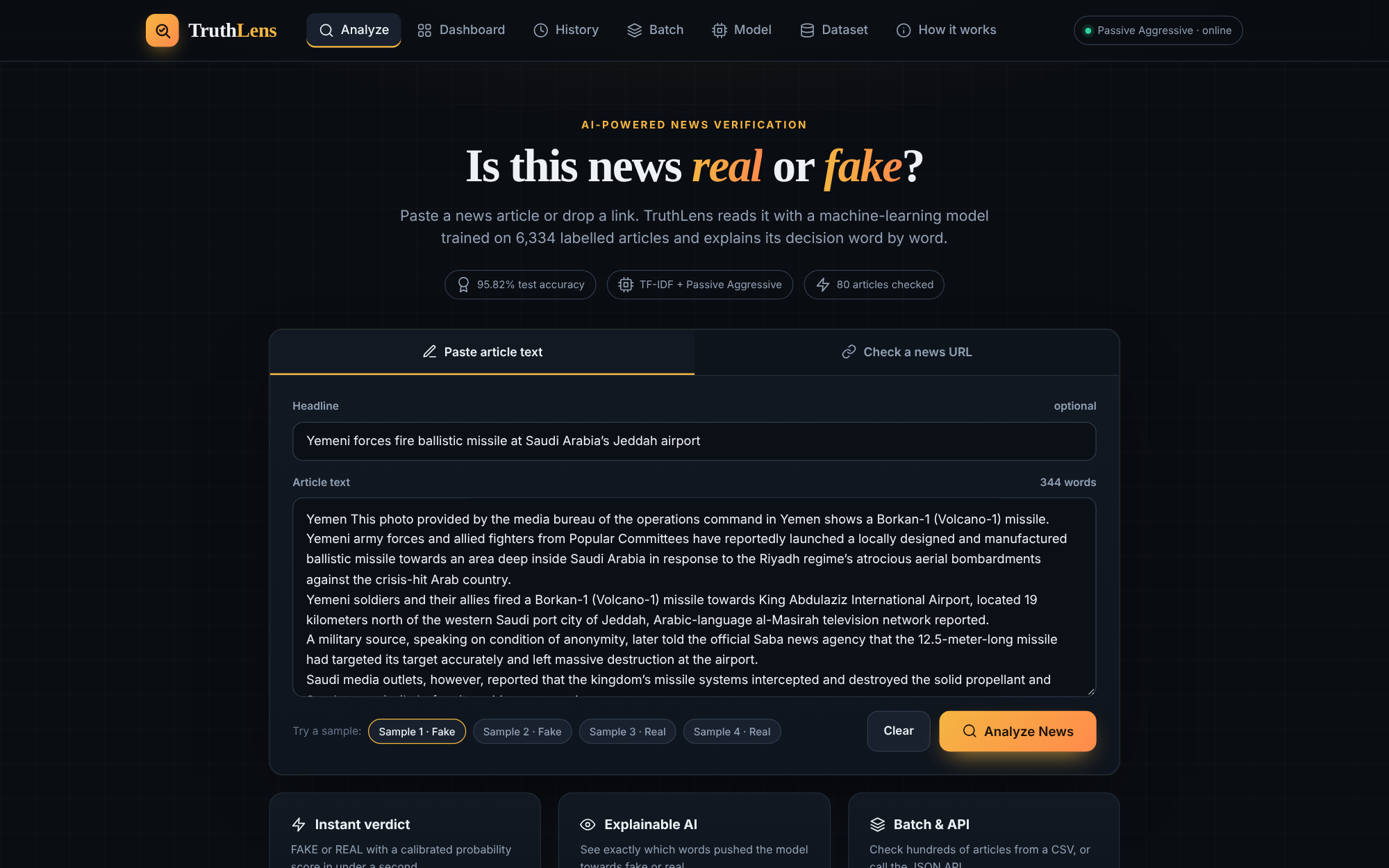
Fake News Detection Web Application is a complete machine learning and NLP project that classifies news articles as FAKE or REAL with 95.8% accuracy. Users can paste an article or enter a news URL. The system cleans the text, converts it into TF-IDF features and predicts the result with a calibrated Passive Aggressive classifier. Four algorithms were trained and compared to pick this one: Logistic Regression, Passive Aggressive, Linear SVM and Naive Bayes.
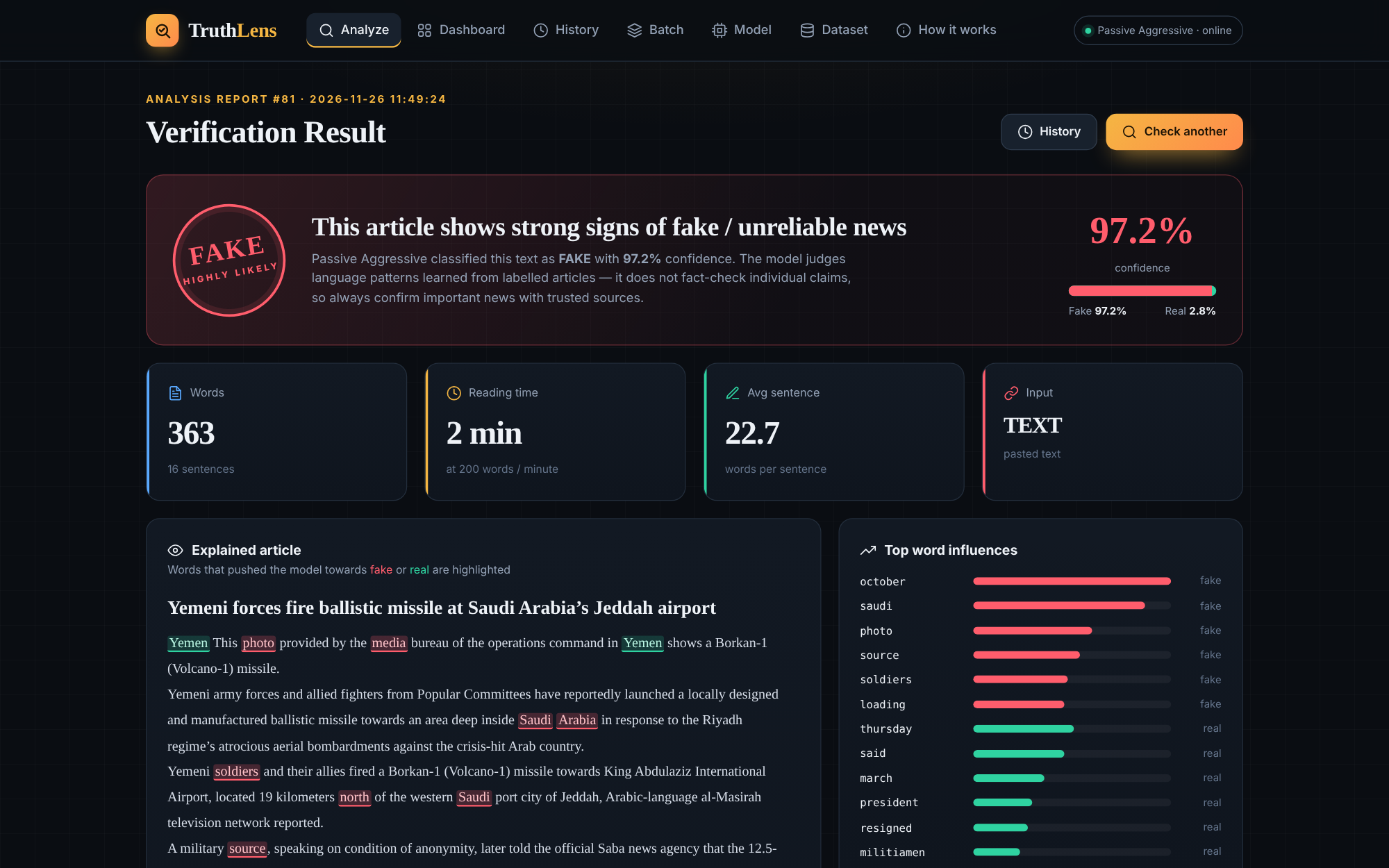
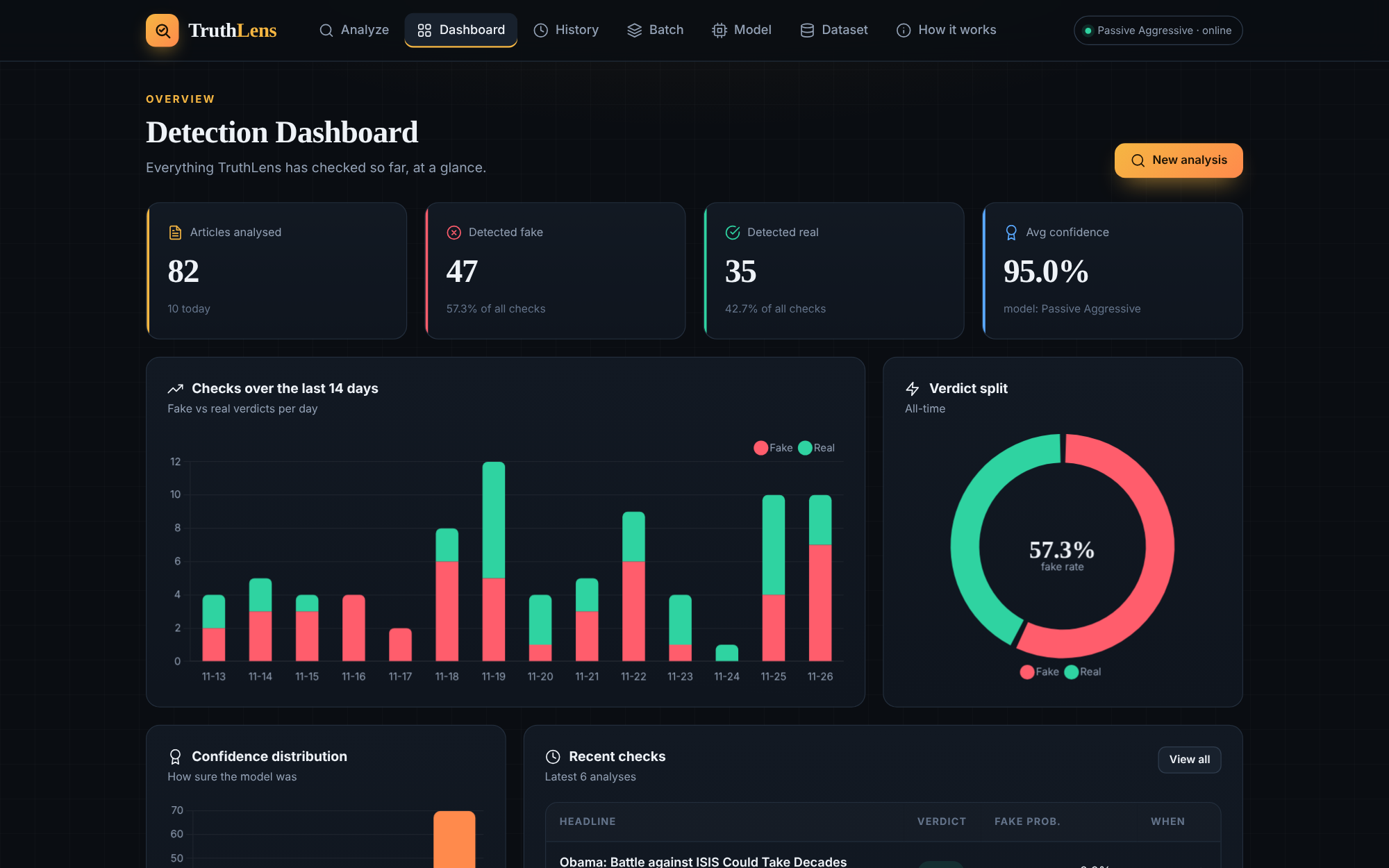
What makes this project stand out is Explainable AI. The app highlights the exact words that pushed the model towards fake or real, shows a confidence score, and flags writing-style red flags like clickbait phrases, emotional words and missing sources. It also includes an analytics dashboard, prediction history, batch CSV analysis, a model performance page with a confusion matrix, dataset insights and a REST API.
It is a good fit for VTU CSE, ISE, AIML and Data Science students looking for a fake news detection project in Python with source code. The project report and PPT are also available.
What this project does
- Fake news detection with 95.8% test accuracy
- Check news by pasting text or entering an article URL (auto web scraping)
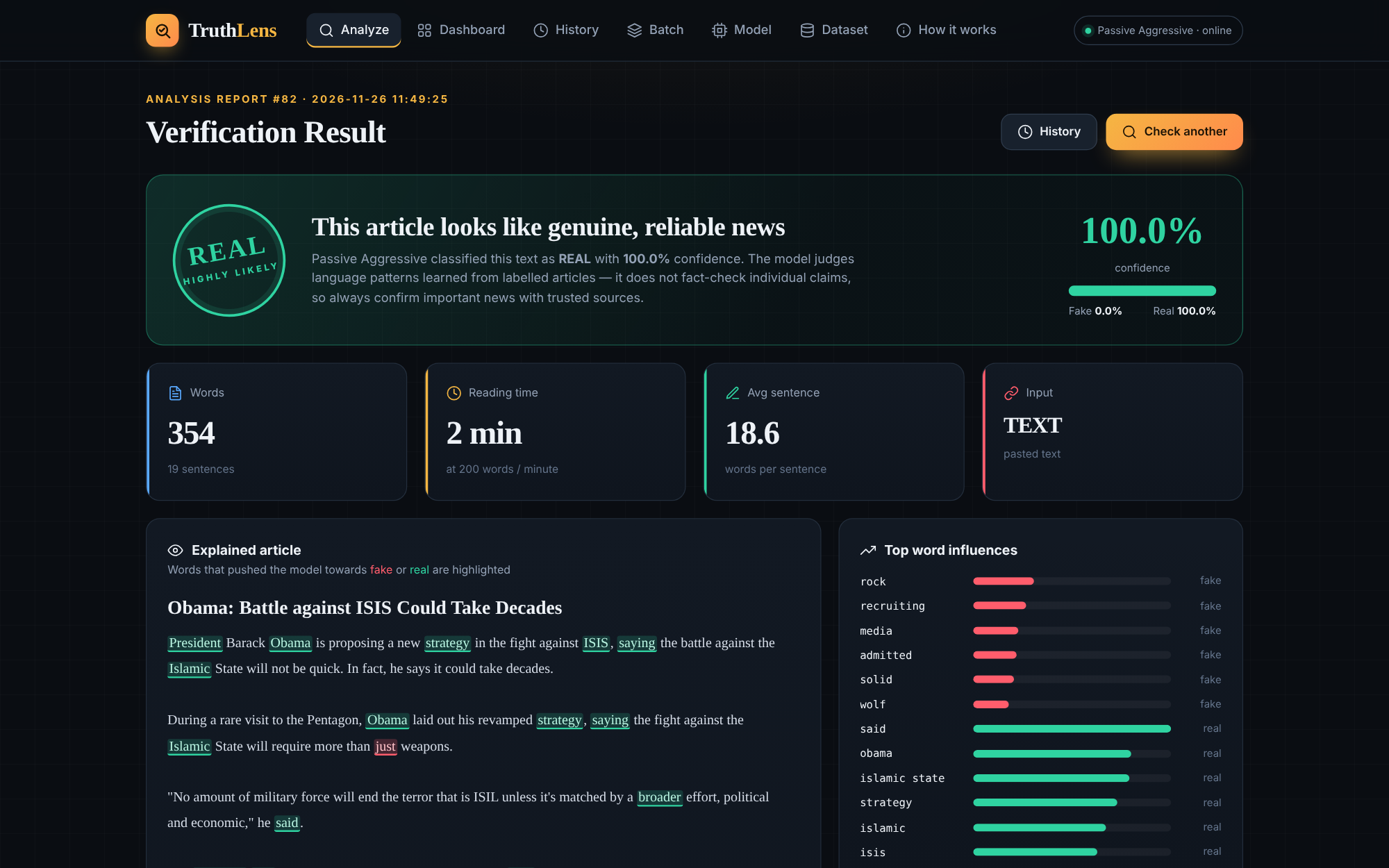
- FAKE / REAL verdict with a calibrated probability and confidence score
- Explainable AI: influential words highlighted in the article
- Top word-influence chart for every prediction
- Writing-style red flags: clickbait, emotional words, ALL-CAPS, exclamations, sources, quotes
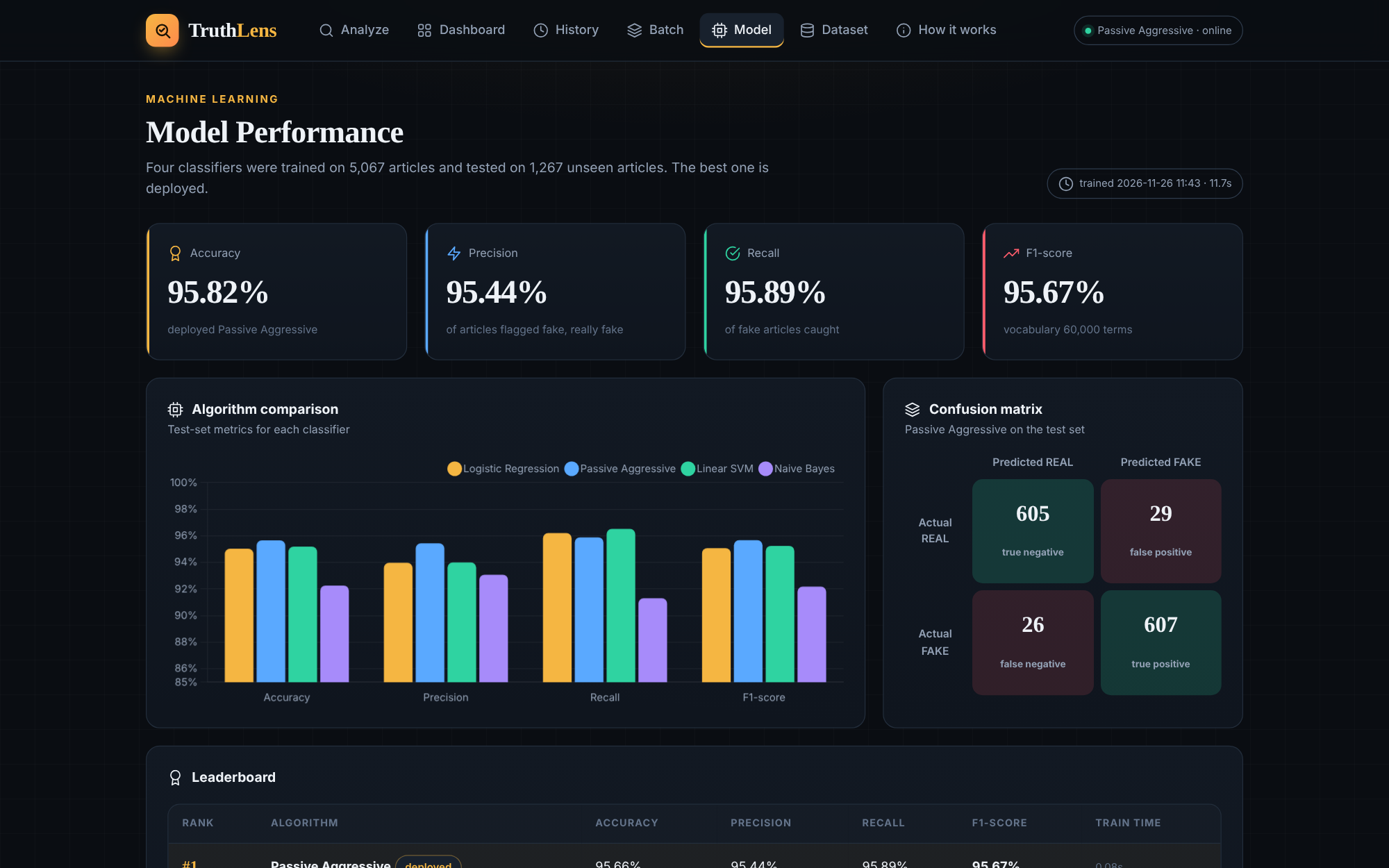
- Comparison of 4 ML algorithms with a leaderboard
- Accuracy, precision, recall, F1-score and confusion matrix
- Analytics dashboard with a 14-day trend, verdict split and confidence distribution
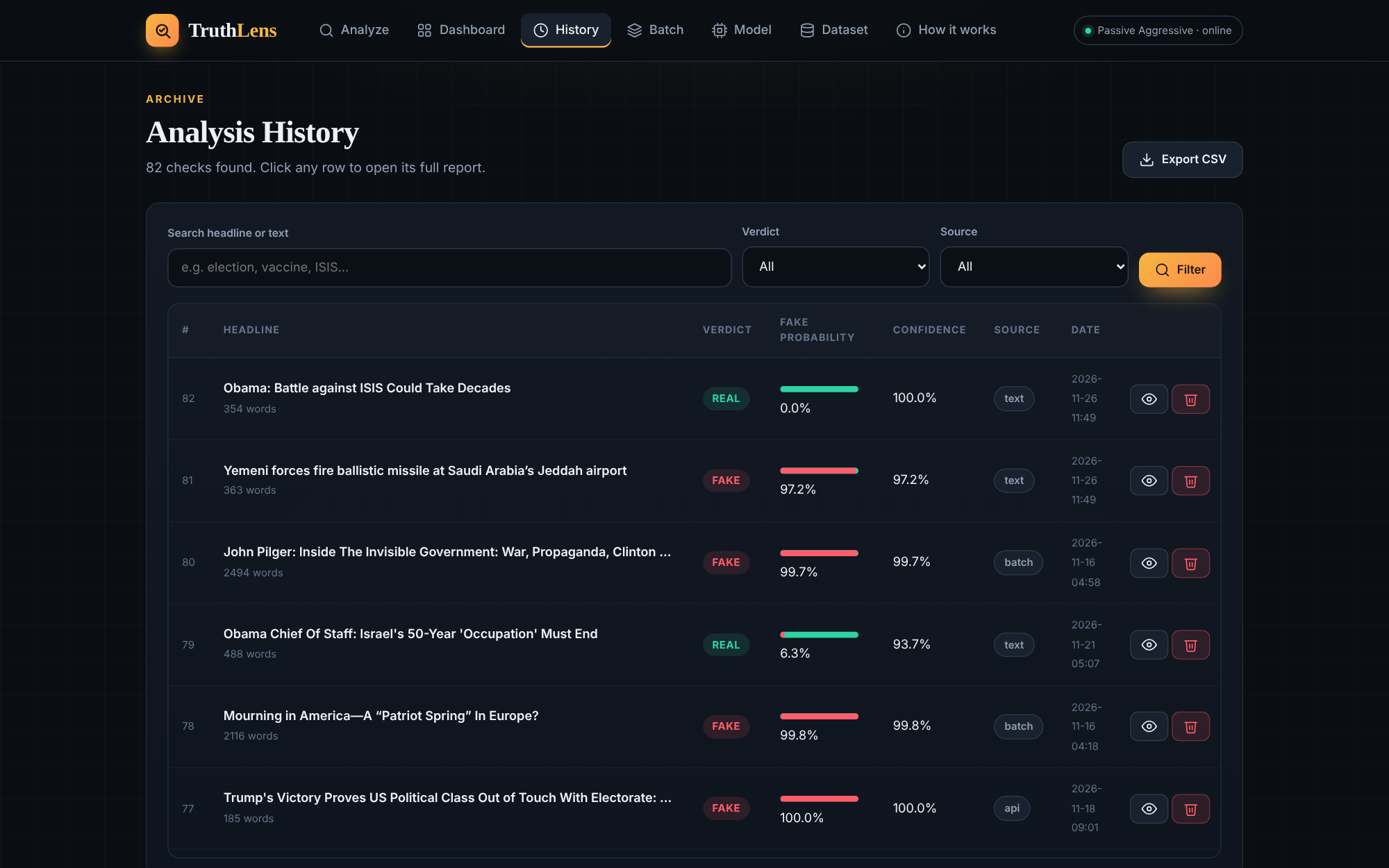
- Prediction history with search, filters, delete and CSV export
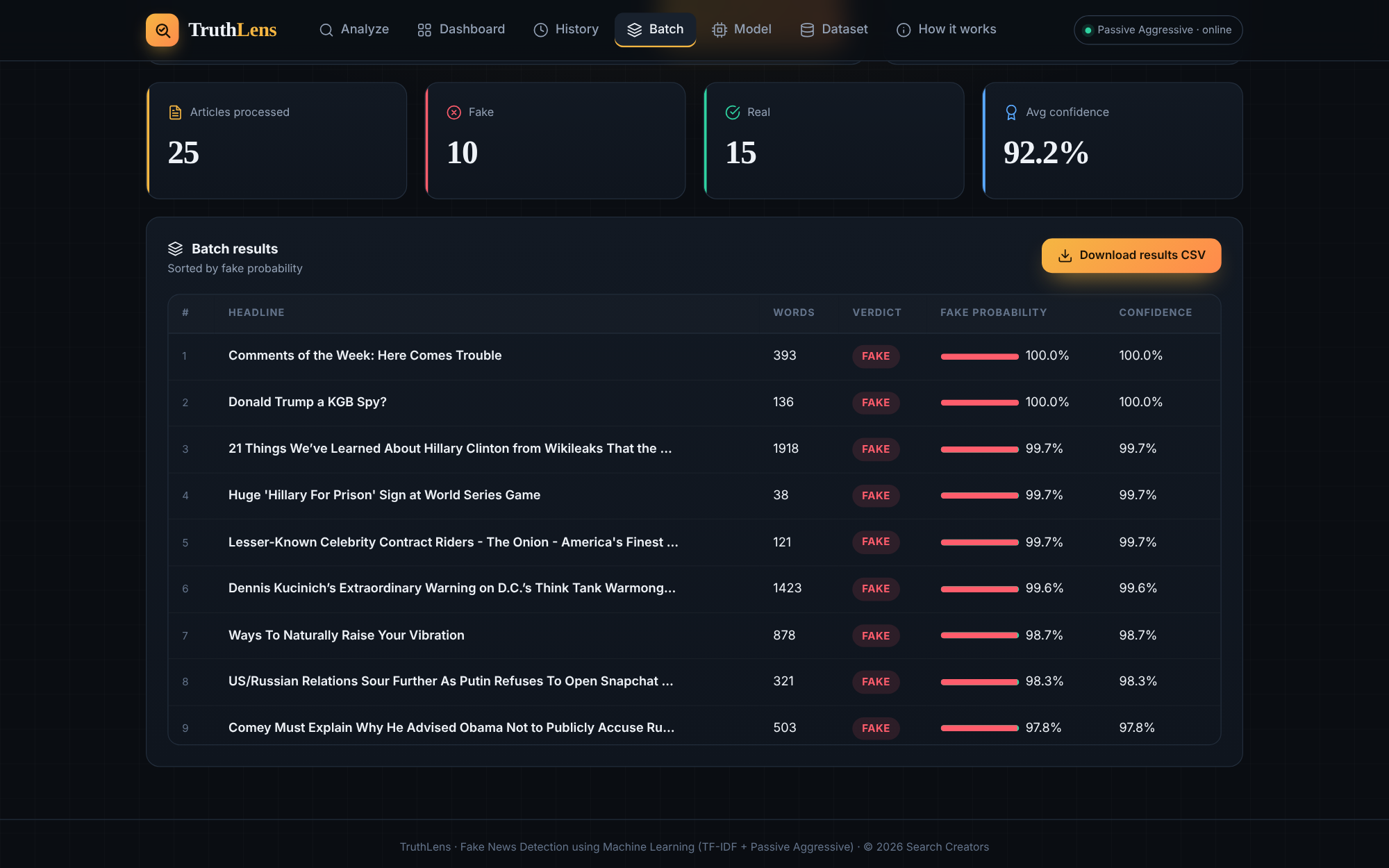
- Batch analysis: upload a CSV and check up to 500 articles at once
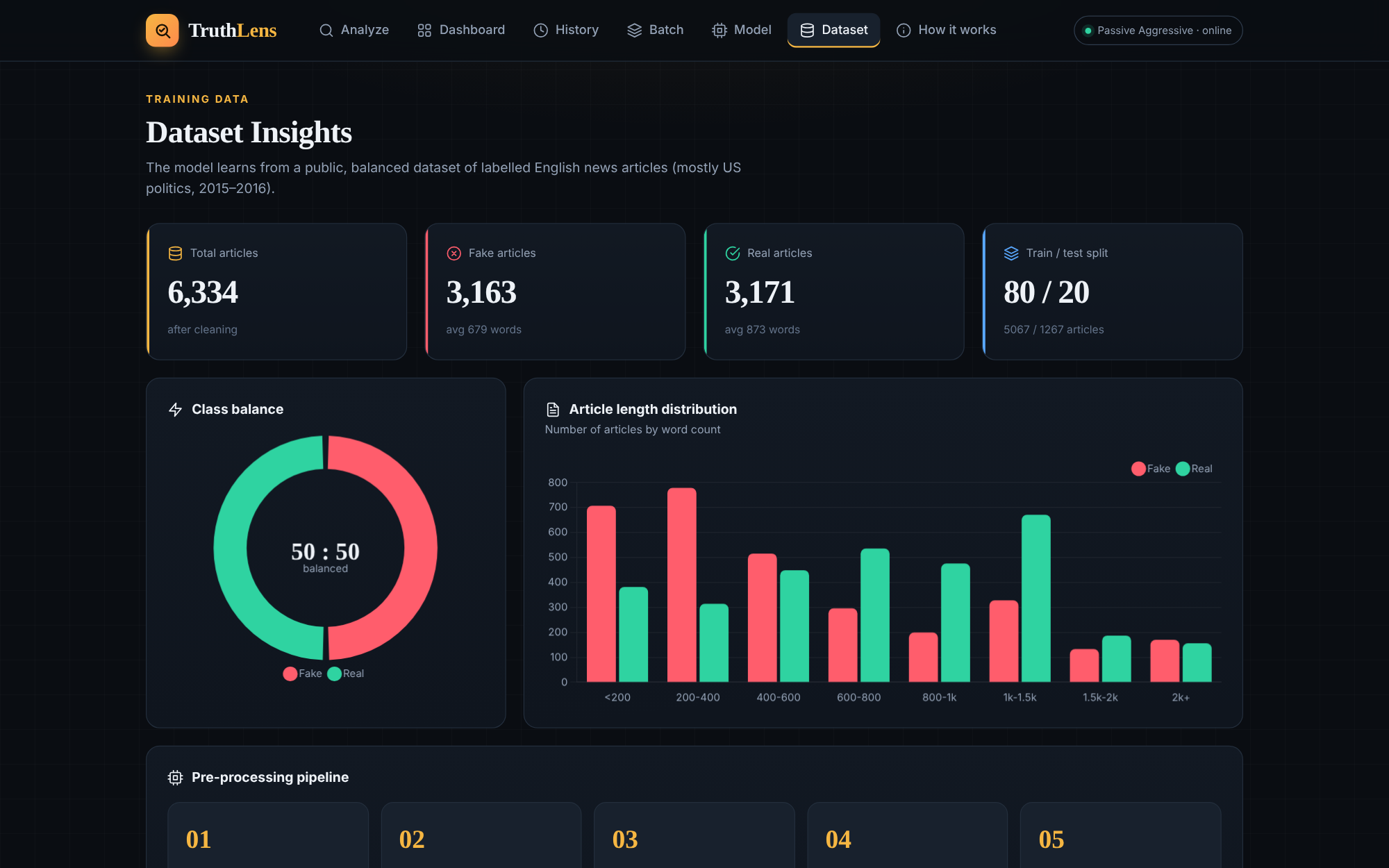
- Dataset insights: class balance and article length distribution
- REST API (/api/predict) for integration
- One-command retraining with your own dataset
- Modern responsive dark UI
What you need
Software:
Python 3.9 – 3.13
Flask, scikit-learn, pandas, numpy, joblib, requests, beautifulsoup4
Any browser (Chrome / Edge / Firefox)
Windows / Linux / macOS
Internet only for the URL-check feature
Hardware:
Intel i3 or above, 4 GB RAM
No GPU needed
How to run this project
Download and extract the project ZIP.
Open a terminal inside the TruthLens folder.
Install the packages: pip install -r requirements.txt
Start the app: python app.py (Windows users can double-click run.bat)
Open http://127.0.0.1:5000 in your browser.
Paste a news article (or click a sample) and press Analyze News.
Optional: run python seed_demo.py to load demo history into the dashboard.
Optional: run python train_model.py to retrain the model (takes about 15 seconds).
Learn, build and make it yours
Read the code, try the features and change the project to match your idea. Make sure you understand how it works before using it for your coursework.
Download project files
Choose the files you need. Each file shows its price, or is marked free.
Sign in to purchase
Paid downloads stay available in your account when you return to this page. Free resources are supported by ads.
ADVERTISE WITH SEARCH CREATORS
Your next customer could be here.
Promote your company, college, course or event on our website. Contact us to discuss education, entertainment and business ads.
- Companies & brands
- Colleges & courses
- Events & entertainment
Tell us what you want to promote. Ask us about ad spaces, prices and available dates.